
TubeMate
Entertainment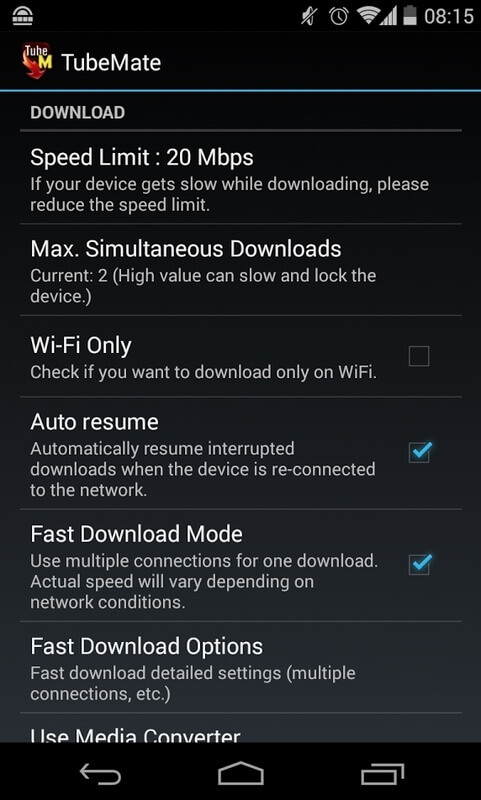



TubeMate is an Android application that lets you download YouTube videos directly to your device for offline playback. It’s useful when you have limited data, spotty Wi‑Fi, or simply want to build a personal video library without streaming each time.
This page provides the latest official build details, a step‑by‑step installation guide, and practical tips to keep the app running smoothly on your device.
Quick Information
| App/Game Name | TubeMate |
| Latest Version | 3.4.23.1574 |
| Developer | Not listed |
| Category | Apps / Entertainment |
| App Size | 25.93 MB |
| Package Name | devian.tubemate.home |
| Last Updated | 14 October 2026 |
What Is TubeMate?
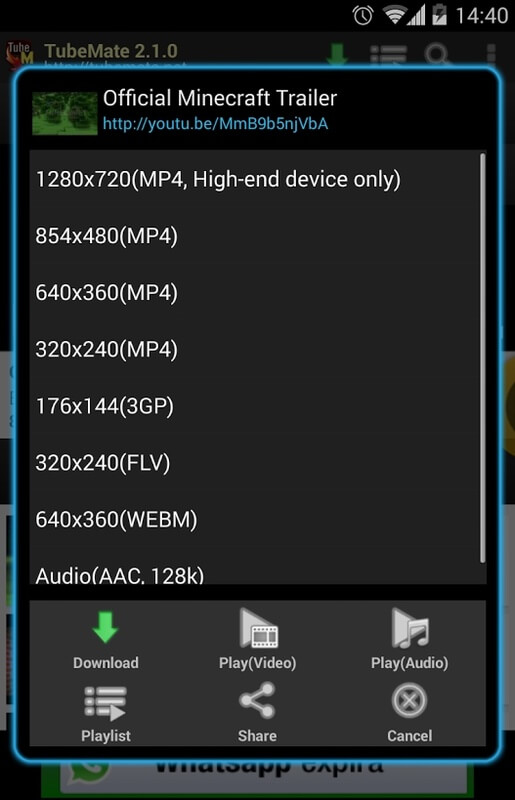
TubeMate functions as a video downloader for YouTube. After installing the APK, you can browse YouTube within the app, select a video, choose the desired resolution, and save it to your phone’s storage. The core features include:
- Download videos in various resolutions (up to 1080p when available).
- Batch download support for multiple videos.
- Built‑in media player for immediate playback.
The app is targeted at users who need offline access to YouTube content, such as travelers, commuters, or anyone with data caps. It does not replace the official YouTube app’s streaming capabilities and does not provide any subscription benefits.
Compatibility
| Android Version | ✓ Verified — 2.0 & Up |
| Architecture (ARM64 / 32-bit) | Not Verified |
| Internet Connection | ✓ Verified — May be required for ads, updates, or login |
| Storage Needed | Not Verified |
| OBB/Data Files | Not Verified |
| Root Required | Not Verified |
How to Install
- Open your device’s Settings → Security (or Privacy) and enable Install unknown apps for the browser or file manager you’ll use.
- Download the TubeMate APK file from the link provided on this page.
- Once the download finishes, tap the notification or locate the file in your Downloads folder.
- Tap Install and follow the on‑screen prompts.
- After installation, open TubeMate and grant storage permission when requested so videos can be saved to your device.
Troubleshooting
- App not installed: Ensure you have enabled installations from unknown sources and that the APK matches your device’s architecture (ARM or ARM64). Clear any partially installed versions before retrying.
- Crashes on launch: Verify that your Android version meets the minimum requirement (Android 5.0+). Updating the app to the latest build often resolves stability issues.
- Videos won’t download: Check that you have granted storage permission and that there is sufficient free space. Some videos may be blocked by YouTube’s policies and cannot be saved.
- Download speed is slow: Network conditions affect speed. Switching to a stronger Wi‑Fi connection usually improves performance.
Safety & Security
TubeMate is a third‑party application, not available on the Google Play Store. Before installing, make sure you download the APK from a reputable source and verify the file’s integrity if a hash is provided. Review the permissions the app requests; it typically needs access to storage and network. Avoid entering personal login details or payment information within the app, as it is not an official YouTube client. Keep in mind that future YouTube updates may affect TubeMate’s ability to download videos, requiring a newer version of the APK.
How TubeMate Compares
| Feature | TubeMate | NewPipe | YouTube (official) |
|---|---|---|---|
| Price / Free model | Free (ad‑supported) | Free, open‑source | Free with ads; Premium subscription available |
| Platform availability | Android APK | Android (F-Droid, APK) | Android, iOS, Web |
| Standout feature | Direct video download with selectable resolution | Lightweight, no ads, background playback | Official streaming, playlists, subscriptions |
| Best for | Users who need offline YouTube videos | Privacy‑focused users who want a minimal YouTube client | General YouTube consumption with official support |
Alternatives
- NewPipe – Open‑source YouTube client that supports background playback and video downloads without Google services.
- SnapTube – Another popular downloader offering multiple format options, though availability varies by region.
- VidMate – Combines video downloading with a content aggregator for movies, music, and TV shows.
- KeepVid – Web‑based service with an Android companion app for downloading videos from various platforms.
Final Verdict
TubeMate provides a straightforward way to save YouTube videos for offline viewing, making it handy for users with limited connectivity or data caps. It works on most Android devices, but because it’s a third‑party tool, you should download it from a trusted source and stay aware of potential compatibility changes after YouTube updates. If you prefer an open‑source, ad‑free experience, consider NewPipe; otherwise, TubeMate remains a solid choice for quick video downloads.
Frequently Asked Questions
TubeMate is a third‑party app, so you should download it from a reputable source and check the permissions it requests. Avoid entering personal login details, as it is not an official YouTube client.
The current build supports Android 5.0 and newer, which includes most recent Android releases. Compatibility may vary with future OS updates.
Yes, TubeMate lets you choose the resolution up to 1080p when the source video offers that quality.
No, rooting is not required. The app works on standard, non‑rooted Android devices.
When a newer APK is released, download it and install over the existing version; the installer will replace the old files while keeping your settings.
This can happen if installations from unknown sources are disabled, if the APK is corrupted, or if a previous incomplete installation is still present. Ensure the setting is enabled and clear any old files before retrying.
TubeMate supports batch downloading, allowing you to add multiple videos from a playlist and download them sequentially.
There is no built‑in limit, but you are constrained by your device’s storage capacity and any restrictions imposed by YouTube on certain videos.